Have you ever wondered "What exactly is a 'URL' anyway? Or an IP address? Are they the same thing?"
Or maybe you recently found out your computer has been compromised by Malware (malicious software) and you want to know more about how to protect yourself.
Or your anti-virus software keeps warning you about "tracking cookies / low threat" and you're wondering what that means, exactly.
Or you're just curious about technology and the web and would like to understand how it works.
If this sounds like you, then you should read this e-book from Google! http://www.20thingsilearned.com/
If you read it, feel free to leave a comment here with a "Thing you learned" and if you found it helpful.
Tuesday, January 4, 2011


Wednesday, October 6, 2010
Learn English Words - Cab
Watch and Understand: The power of video for teaching vocabulary.
And for the geeky science buffs out there: remember that rich experiences (those that engage several senses) are more deeply encoded the brain.
We often use simple images to teach words like "cab," of course. But I'm betting that this video presentation will get the job done faster and better (e.g. better retention later on) because it is so visually and auditorially rich.
Chalk up one more reason why schools need to get with 21st century and stop blocking YouTube - especially for adult learners.
And for the geeky science buffs out there: remember that rich experiences (those that engage several senses) are more deeply encoded the brain.
We often use simple images to teach words like "cab," of course. But I'm betting that this video presentation will get the job done faster and better (e.g. better retention later on) because it is so visually and auditorially rich.
Chalk up one more reason why schools need to get with 21st century and stop blocking YouTube - especially for adult learners.
Tuesday, October 5, 2010
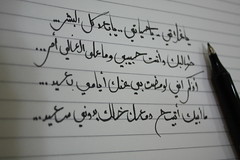
Writing by Hand is Good for you - and your Learners!
 |
| Creative Commons licensed photo from Flickr |
Check out this article from the Wall Street Journal about How Handwriting Trains the Brain.
Some interesting points:
- writing characters by hand improves retention of new information when learning a new script or becoming literate for the first time. Teachers of non-literate adults: make sure they are practicing writing their letters, not just reading them!
- writing text out long-hand may help keep your brain "sharp" as you age - it's "cognitive exercise"!
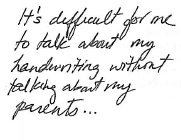
- children wrote more (more words, more ideas) in assignments done by hand than at the keyboard, indicating that the act of putting pencil to paper may improve writing output for learners.
- applications are coming out for touch-screen devices (smart phones, iPad) that allow you to input text by drawing the characters on screen with your finger or a stylus. Could adult learners use something like this to learn the alphabet? Anybody out there have a iPad to try it on?
And thanks to Larry Ferlazzo for sharing this on his website of the day blog and tipping me off to it.
 |
| Creative Commons licensed photo by Dan4th on Flickr |
Tuesday, August 17, 2010
See you at Summer Institute!
The annual MN ABE Summer Institute is nearly here! Will YOU be there?
Since I'm both a) on the planning committee and b) leading 3 workshops and one discussion session, you'll probably see me around!
At MLC the Technology Services Department has an exciting new program rolling out this fall, one I'll be heavily involved with... but hush! It's a secret till tomorrow. Summer Institute is our venue for telling all. Hope you'll be there to get the scoop. If not, keep an eye on this blog for an update soon!
Since I'm both a) on the planning committee and b) leading 3 workshops and one discussion session, you'll probably see me around!
At MLC the Technology Services Department has an exciting new program rolling out this fall, one I'll be heavily involved with... but hush! It's a secret till tomorrow. Summer Institute is our venue for telling all. Hope you'll be there to get the scoop. If not, keep an eye on this blog for an update soon!
Friday, July 9, 2010
Computer Terminology - What Words Cause Confusion?

My hope is to orient participants enough (and reduce anxiety enough) that they can begin trying to teach themselves new computer skills. I'm focusing on a few fundamental Windows tasks (like using the taskbar and right-clicking for contextualized menus), Internet and browser basics, and perhaps most importantly, clarifying vocabulary so that teachers can more fully participate in the technology conversations going on around them. To this end, I'm coming up with a list of specialized computer terminology that has become ubiquitous, but often needs explaining to people who are not comfortable with computers. Words like "upload" and "download" are on there. "Browser" and "URL" and "Wi-Fi" are too.
But my question for you, dear readers, is: What words do you think cause the most confusion? Is it functional stuff like I've listed above? Or is it names of products/services like Twitter and YouTube that cause anxiety among the uninitiated? If you were a rank novice in the land of computers, what terms would you most want defined and clarified so that you could begin teaching yourself?
Send me your thoughts in a comment, or look me up on Twitter or email. I'm not hard to find.
Monday, June 28, 2010
Super Example of E-Learning Content... that ins't "E-Learning Content"
If you read this blog or know me in person, you can probably guess that I think e-learning is (or at least, can be) really cool, really inspiring, and really, really powerful when done well. Of course, the flip of that is that e-learning can also be really dull, mind-numbing, and next to useless when done badly. Pretty much like most forms that teaching and learning take!
Last week I was disheartened to see a classic example of bad e-learning content (from a source I will not disclose). It was the dreaded PowerPoint slides full of lines of bulleted text, with a voice-over narration. No animation/movement, no images or rich media, just a voice talking at you over a text which didn't always match the audio (which is the worst, because of course you can't attend to two different messages simultaneously, we know this from brain research!). Granted, even those of us who really worry about instructional design sometimes use the "narrated slides" format. But, there are degrees of quality even among narrated slides. If you're going to do it, you can at least use animations to bring things into view as you talk about them, and include imagery that matches your text/audio. And above all make sure that the text and audio "fit!"
Then this morning, as if to brighten my Monday, I came across a super example of exactly the opposite of the dull narrated slides - a truly rich, interactive, and engaging piece of e-learning content... the only thing is, it's not "e-learning content" per se. It's an online multimedia feature from Scientific American magazine, called "12 Events that will Change Everything, Made Interactive." Granted, ABE programs don't have anywhere near the resources (in terms of money, time, technology, or expertise) that Scientific American has. But there are principles at work here that anyone involved in creating instructional content for adult learners can and should learn from.
 For one, it's beautiful to look at and draws the reader/learner in. As teachers we tend to think that content trumps presentation, but increasingly, I'm not so sure. Aesthetics do matter quite a lot. In many ways, the presentation IS the content. These two aspects of design can become so intertwined as to be inseparable. Are the images there to instruct or there to make it look nice? Well, both! Is the interface functional or beautiful? Well, ugly interfaces tend to be hard to navigate, which means they don't function well. Yes, I've also seen beautiful but completely dysfunctional interfaces. But when design is simple and clean, it tends to be both easy on the eyes and easy on the brain.
But perhaps most importantly, as a reader/learner looking at this piece of content, you have choice. You can decide for yourself which of the 12 events you want to explore. You can read the text, or not. You can choose which multimedia objects to view. You can jump around whenever and where-ever you like. There is also a mechanism for including reader/learner voice: you can vote on how likely you think each event is to happen by the year 2050, then see how your answer compares to other readers'. You can also listen to the author's opinion if you wish.
As a result of applying these principles (attractiveness, integrated multimedia, choice, and learner voice), this is a piece that begs for deeper engagement. I know I had a hard time pulling myself away to write this blog post! And that kind of engagement is what we want for our learners. When learning is self-motivating because the content draws you in and makes you want to stay engaged, then learning is deep and powerful. Much, much more so than listening to someone talk at you while reading bullet points on a PowerPoint slide.
PS: Thanks to Larry Ferlazzo for finding and sharing this resource with me and countless others on his ESL Websites of the Day blog.
Last week I was disheartened to see a classic example of bad e-learning content (from a source I will not disclose). It was the dreaded PowerPoint slides full of lines of bulleted text, with a voice-over narration. No animation/movement, no images or rich media, just a voice talking at you over a text which didn't always match the audio (which is the worst, because of course you can't attend to two different messages simultaneously, we know this from brain research!). Granted, even those of us who really worry about instructional design sometimes use the "narrated slides" format. But, there are degrees of quality even among narrated slides. If you're going to do it, you can at least use animations to bring things into view as you talk about them, and include imagery that matches your text/audio. And above all make sure that the text and audio "fit!"
Then this morning, as if to brighten my Monday, I came across a super example of exactly the opposite of the dull narrated slides - a truly rich, interactive, and engaging piece of e-learning content... the only thing is, it's not "e-learning content" per se. It's an online multimedia feature from Scientific American magazine, called "12 Events that will Change Everything, Made Interactive." Granted, ABE programs don't have anywhere near the resources (in terms of money, time, technology, or expertise) that Scientific American has. But there are principles at work here that anyone involved in creating instructional content for adult learners can and should learn from.
But perhaps most importantly, as a reader/learner looking at this piece of content, you have choice. You can decide for yourself which of the 12 events you want to explore. You can read the text, or not. You can choose which multimedia objects to view. You can jump around whenever and where-ever you like. There is also a mechanism for including reader/learner voice: you can vote on how likely you think each event is to happen by the year 2050, then see how your answer compares to other readers'. You can also listen to the author's opinion if you wish.
As a result of applying these principles (attractiveness, integrated multimedia, choice, and learner voice), this is a piece that begs for deeper engagement. I know I had a hard time pulling myself away to write this blog post! And that kind of engagement is what we want for our learners. When learning is self-motivating because the content draws you in and makes you want to stay engaged, then learning is deep and powerful. Much, much more so than listening to someone talk at you while reading bullet points on a PowerPoint slide.
PS: Thanks to Larry Ferlazzo for finding and sharing this resource with me and countless others on his ESL Websites of the Day blog.
Friday, June 25, 2010
Free Geek
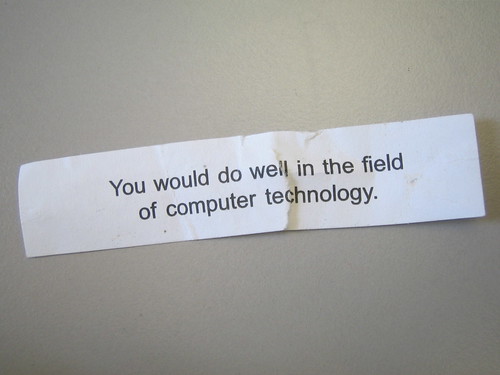
Any components that are too old or damaged to be useful are instead recycled in the most environmentally sound way possible. The program also encourages learning about computers through volunteering at the center (for example, one way to earn a free computer is to build computers as a volunteer).
The program is moving into a new location and isn't open to the public during its move, but is looking for donations. So, if you have an old PC (or cell phone, or printer, or camera) laying around the house/office, and think to yourself, "It's old, but it's still useable. It seems a shame just to throw it away," don't! Donate it to Free Geek instead.
Once the program is in full swing in its new location, I'd encourage you to share the program with learners who might benefit from Free Geek services.
Free Geek is online at: http://freegeektwincities.org/.
Creative Commons licensed image from Flickr user deanj: http://www.flickr.com/photos/deanj/2398424227/sizes/m/.
Subscribe to:
Posts (Atom)



 Posts
Posts


